
Page types
Style every page of a Hekana store with Sneferu templates: product, collection, search, cart, page and 404, alternates and the objects each one has in scope.
On this page
A store has more pages than the home page. A theme can style each page type with its own template. Any type you do not write is filled in by the SDK's default store, so every page of the store goes through your theme (its layout, tokens and CSS) from the first day.
| Template file | Page | Data in scope |
|---|---|---|
templates/index.snf | Home (required) | none |
templates/product.snf | One product | product |
templates/collection.snf | A category, or all products | collection, paginate |
templates/search.snf | Search results | search, paginate |
templates/cart.snf | The cart | none (the cart is drawn in the browser, see Cart and controllers) |
templates/page.snf | A merchant's content page | page |
templates/404.snf | Page not found | none |
product, collection and page also take alternates: product.codes.snf
is a second product template a merchant can assign to some products. Any other
template name is SN3035.
Every template can also read request, localization, store, locale and dir.
<hk-sections />
<hk-schema>
  {
    "sections": [
      {
        "type": "product-main",
        "blocks": [
          {
            "type": "product-title"
          },
          {
            "type": "product-price"
          },
          {
            "type": "product-excerpt"
          },
          {
            "type": "product-variants"
          },
          {
            "type": "product-buy"
          },
          {
            "type": "product-text"
          },
          {
            "type": "product-description"
          },
          {
            "type": "product-tags"
          }
        ]
      },
      {
        "type": "related-products"
      }
    ]
  }
</hk-schema>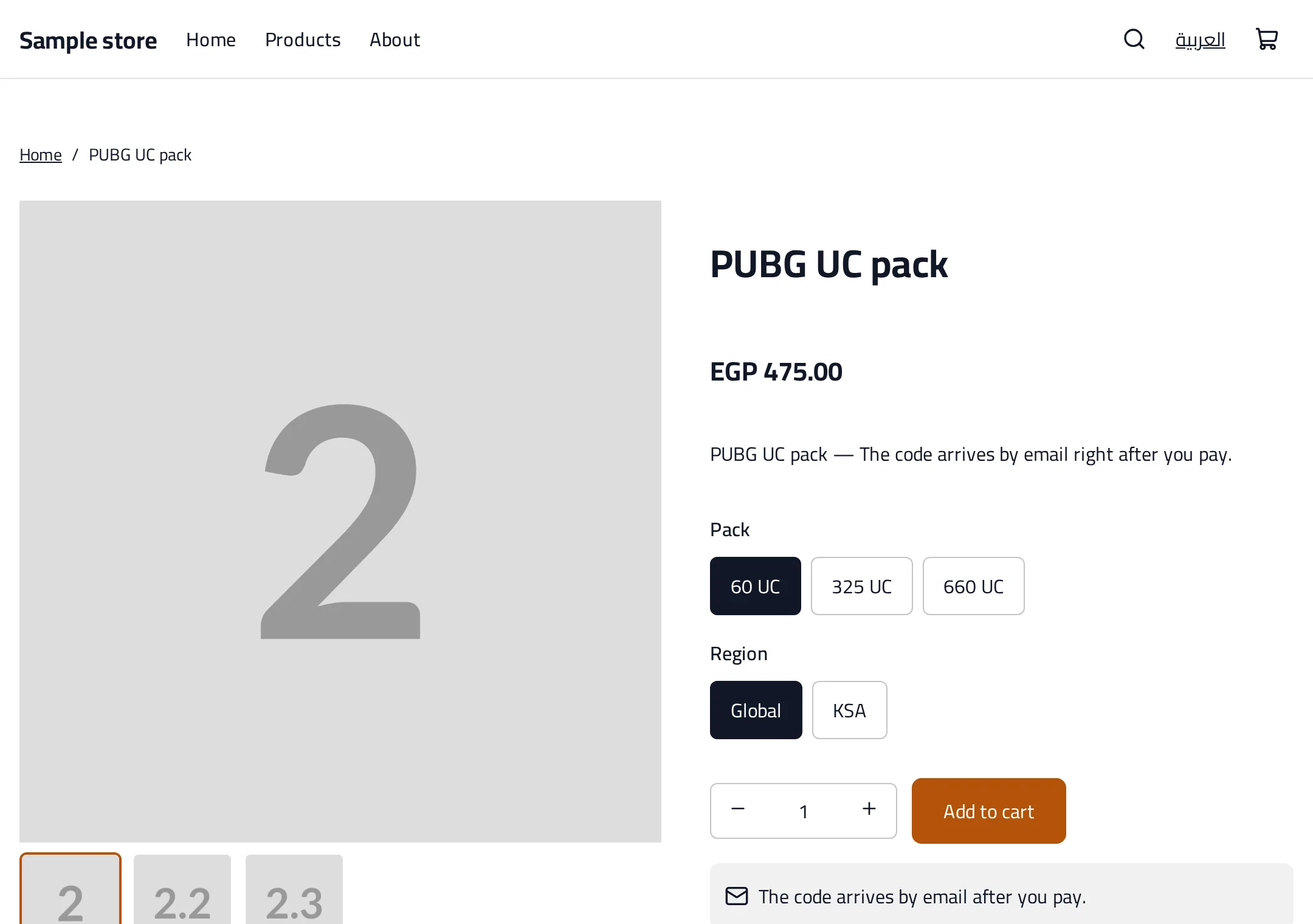
The product
product.id  product.handle  product.title  product.url
product.price  product.compare_at  product.price_min  product.price_max   (minor units: piastres)
product.available                  false when every variant is sold out
product.image  product.images      image objects { url, srcset?, alt?, width?, height? }
product.description                sanitised HTML: print with <hk-rich-text>
product.excerpt  product.kind  product.digital_kind  product.tags  product.category
product.options                    [{ name, values: [string] }]
product.variants                   [{ id, title, price, compare_at, available, options: [string], image }]
product.selected_variant  product.has_variants
product.min_quantity  product.quantity_step  product.max_quantity
product.price is the price of the variant shown first. Do not compute totals in
a template: the server prices the cart.
Collection and search
collection.handle  collection.title  collection.description  collection.url  collection.image
collection.products          the products of this page
collection.products_count    all of them
collection.sort_options      optional: [{ value, label, url, active }]
collection.filters           optional: [{ name, values: [{ label, url, active, count }] }]

search.terms  search.results  search.results_count

paginate.page  paginate.pages  paginate.per_page  paginate.total
paginate.prev_url  paginate.next_url
paginate.parts at most 7 pages around the current one: [{ page, url, current }]/category/<handle>?page=999, ?page=-1 and ?page=abc are clamped to a real
page. Print the page links with <hk-pagination paginate="{{ paginate }}" />.
Pages and requests
page.title  page.body_html (sanitised: use <hk-rich-text>)  page.handle  page.url
request.path  request.page_type            product, collection, ... (index for the home page)
localization.locale  localization.alternate_locale  localization.alternate_url
localization.alternate_locale is null when the theme ships one language.
Product gallery
<hk-product-gallery product="{{ product }}" layout="thumbs-below" /> prints the
first image eager and with high priority, the others lazy, and thumbnails as
plain links. layout is thumbs-below, thumbs-side or stacked. Without
JavaScript the thumbnails still switch the image.
Pagination and language switch
<hk-pagination paginate="{{ paginate }}" /> prints previous and next links and
the page numbers (44 px targets, mirrored arrows on Arabic pages); it prints
nothing for a single page.
<hk-locale-switch /> links to the same page in the other language, labelled
in that language (العربية or English) with hreflang and lang. It prints
nothing when localization.alternate_url is empty.
Choosing a product or collection
A setting of type product stores a handle, like collection does:
{{ product(section.settings.pick).title }}product() takes a handle or a product setting (SN2012 otherwise); a page
that uses it has its products preloaded (pageDependencies(...).products).
Try it
sneferu dev serves every page type: /products/<handle>, /products,
/category/<handle>?page=2, /search?q=card, /cart, /pages/about, and a
404 for anything else. Add /en or /ar to switch language, or
?template=product.codes to preview an alternate.
The 404 page uses your templates/404.snf, or the default store's when you
have none; /__template/<name> still renders any template directly.